Set Shipping Address
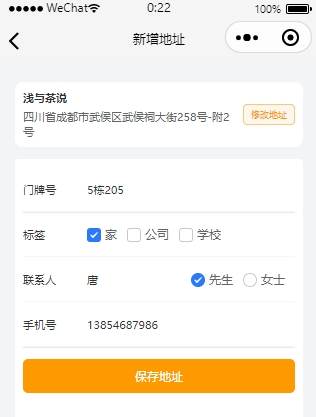
Customers need to fill in their shipping address when placing an order. Click on "Address Management" on the "My" page to enter the shipping address management page.

Add/Edit Address
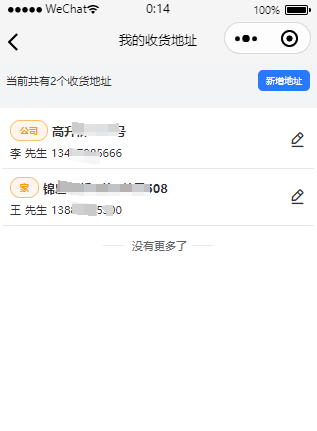
Select an address from the map
When clicking to add an address or edit, enter the address settings page and click to select an address from the map.
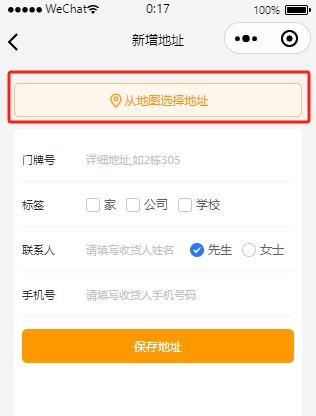
Select/Search Address
Customers can use the top location search function or directly select an address from the list and click OK in the upper right corner to complete the selection.
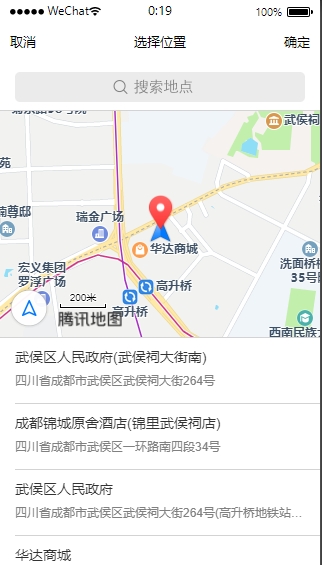
Save
After selecting the address, the address you have already chosen will be displayed at the top (if the selection is incorrect, please click to modify the address). Then set the house number and other information, and finally click save address.